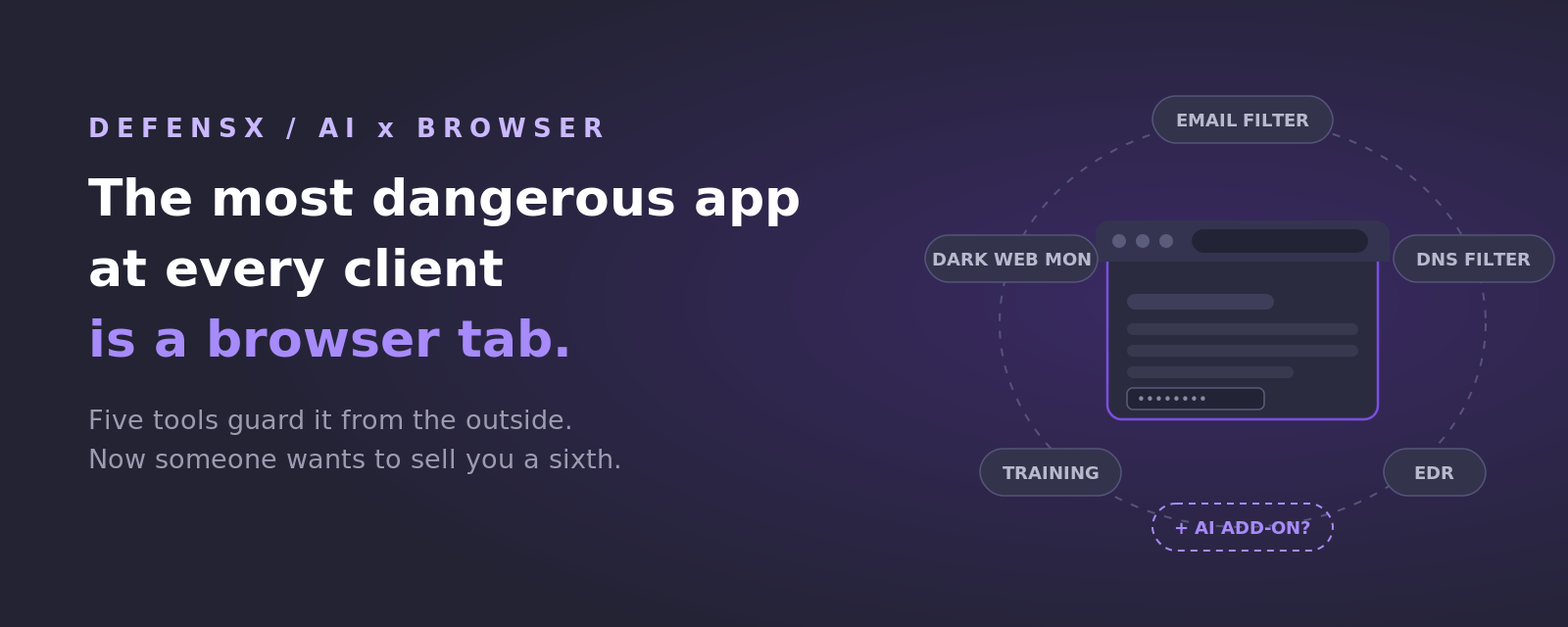
Every client conversation eventually gets to AI now. What they never ask is where AI actually happens. Not in the firewall, not in the mail server: in a browser tab. That is where their people prompt it, paste into it, and download things that claim to be it. Now look at the security invoice protecting that business: an email filter, a DNS filter, an EDR agent, awareness training, maybe dark web monitoring. Every one of them designed before any of this existed. Five renewals, one tab, and no guard where AI actually lives.
Five tools, five blind spots
Each tool on that invoice watches from its own spot, and each has a blind side. Put them side by side and the pattern is hard to unsee:
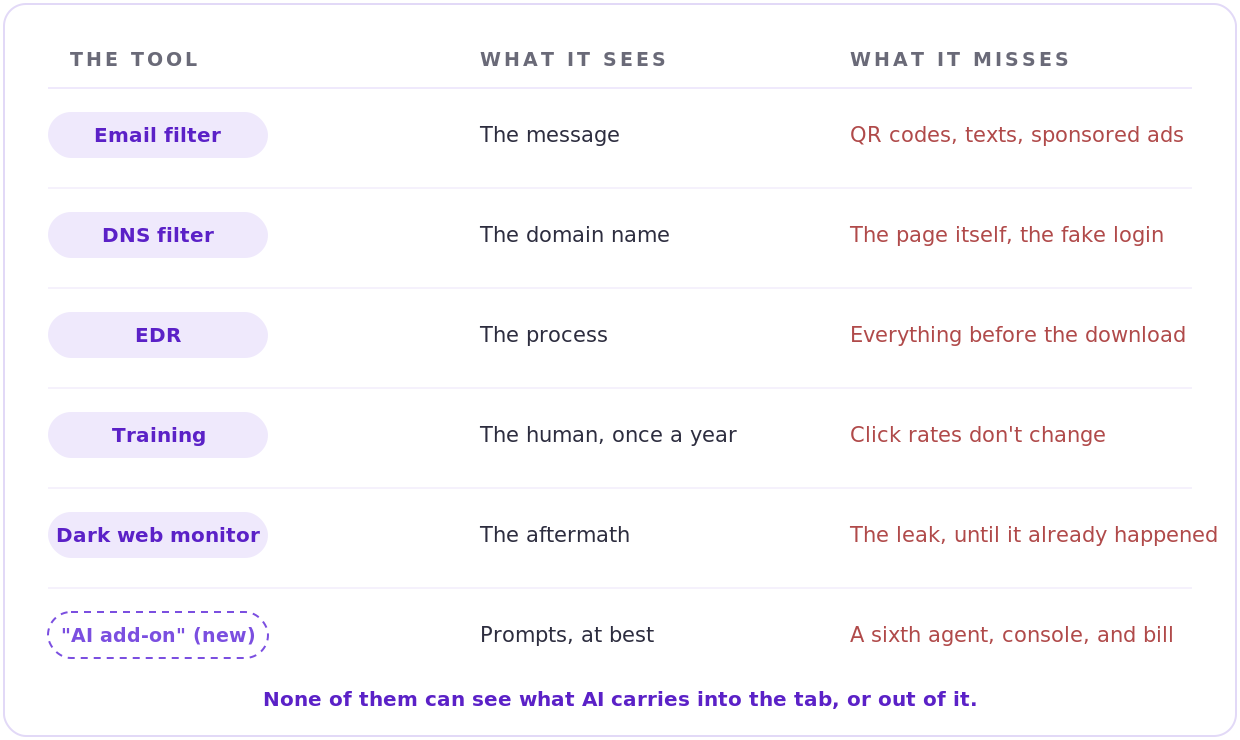
What each tool sees, and what it misses
All five are useful. None of them were built for a world where the riskiest thing an employee does all day is talk to an AI in a browser tab.
AI runs through the tab in both directions
On the way out: company data leaves quietly, one prompt at a time. Customer lists, contract language, source code, pasted into tools nobody approved by people who were just trying to finish work faster. It never looks like an incident. That is exactly why no alarm goes off.
On the way in: attackers noticed the AI gold rush. Kaspersky counted more than 1,100 malware samples in the first four months of 2026 disguised as popular AI apps, up 21% on last year. Add the waves of fake “AI assistant” browser extensions caught stealing accounts and data, and the AI-written phishing pages that read better than the real brand's copy. Employees go looking for AI, and something else comes back.
And the ground is shifting under both: people are not just using AI in the browser anymore, they are starting to browse with it. AI browsers like ChatGPT Atlas put an assistant inside every page a user visits. If your security story stops at the domain name, it has nothing to say about any of this.
The security market's reflex is already visible, and it should worry any MSP who values their sanity: bolt on a sixth tool. An “AI security” add-on, with its own agent, its own console, its own renewal. That fixes the AI gap the same way the first five fixed theirs, from outside the tab, and it leaves you managing six of everything.
What DefensX does about it, inside the tab
DefensX takes the opposite route. It runs as a small agent plus a browser extension, in the tab itself, which is the only place this problem can actually be handled. The AI answer is not a sixth tool; it is built into the same layer that replaces the first five.
It governs the AI your clients' people use on purpose: which AI tools open, what can be pasted or uploaded into them, and whether personal data gets through. Where compliance matters, it keeps a record of every prompt, so “did anything leak through AI?” is answered with a report, not a guess. It catches the AI they meet by accident: downloads pretending to be AI apps meet file controls, malicious sponsored “AI tool” results are blocked before the page loads, and a cloned login page never gets a company password typed into it, because DefensX controls where credentials are allowed to go at all. And it follows users where they go next: it runs in Chrome, Edge, Firefox, Brave, and yes, in AI browsers like ChatGPT Atlas too.
One more AI touch, this one for your team: every user's browsing behavior feeds a risk score, and short trainings fire automatically at the people whose behavior asks for it. The AI era's riskiest users get coached this week, not at next year's slideshow.
Built for how MSPs actually work
One console for all your clients; a policy set you perfect once deploys to fifty tenants. Rollout goes through ConnectWise Automate, Datto RMM, or Atera in minutes, and tickets and billing flow into your PSA on their own. Every warning a user sees carries your logo, not ours. Client-ready reports come from asking Nexi, DefensX's built-in AI, in plain English, scheduled to land before every QBR. And one seat covers the employee's work machine plus two personal devices, so home laptops stop being the hole in the story.
The consolidation math
| Line item on the invoice | The browser layer's answer |
|---|---|
| DNS / web filtering service | Web filtering, in the browser and at DNS |
| Ad and malvertising blocker | Built-in protection against malicious ads and sponsored results |
| Dark web / credential monitoring add-on | Per-user leaked password reports + control over where passwords go |
| DLP for uploads, pastes, and PII | File, paste, and personal-data controls inside the page |
| Awareness training subscription | Automatic micro-trainings, driven by each user's own risk score |
| The AI policy clients keep asking about | AI tool control, paste and upload limits, prompt records. The sixth line item almost nobody sells yet |
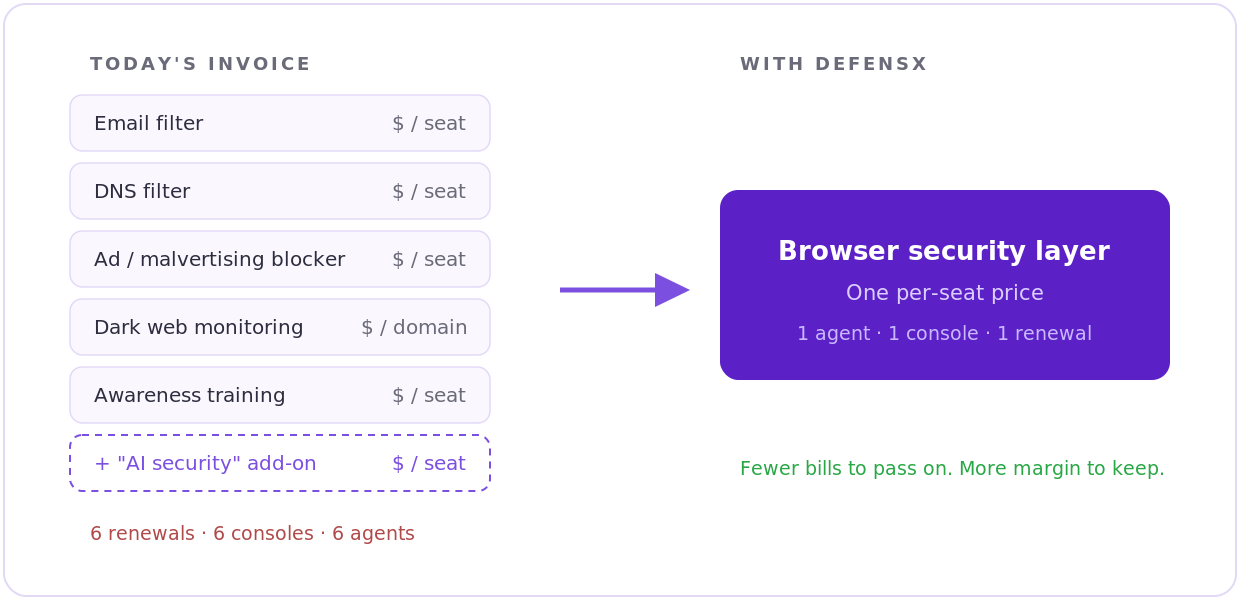
Six line items become one
The AI answer, the security argument, and the margin argument land in the same place. That is rare.
Two questions, depending on what you run today
If you already resell a filtering stack: ask your current vendor what their AI story is. Which AI tools your users touched last month, what got pasted into them, whether a fake AI download would have been stopped. The silence you get back is the gap this post is about.
If you run nothing at the browser layer: every client is asking about AI, and you currently have nothing on the invoice that answers it. That is not just a risk. It is the easiest new line item you will add this year.
Run it side by side. Let the report decide.
No migration required. DefensX installs through your RMM in minutes, runs happily next to your current filter, EDR, and VPN, and can start in watch-only mode: no blocking, no user impact, just visibility.
Run it beside your stack on one tenant for 30 days, then read the report. It will include something no other tool on that invoice can produce: which AI tools that client's employees actually used last month, and what almost left through them. Walking a client through that page is the shortest path from “we should talk about AI” to a signed addendum we know of.
Book a 20-minute demo and we will set up the side-by-side on a tenant you choose, same day.
One tab. One layer. One line item.
AI moved the riskiest part of your clients' workday into the browser tab. The stack never followed it there. The MSPs who close that gap first will own the AI conversation in every prospect meeting, with reports nobody else in the room can generate. The ones who don't will keep paying five pre-AI vendors to stand outside the one window where it all happens.