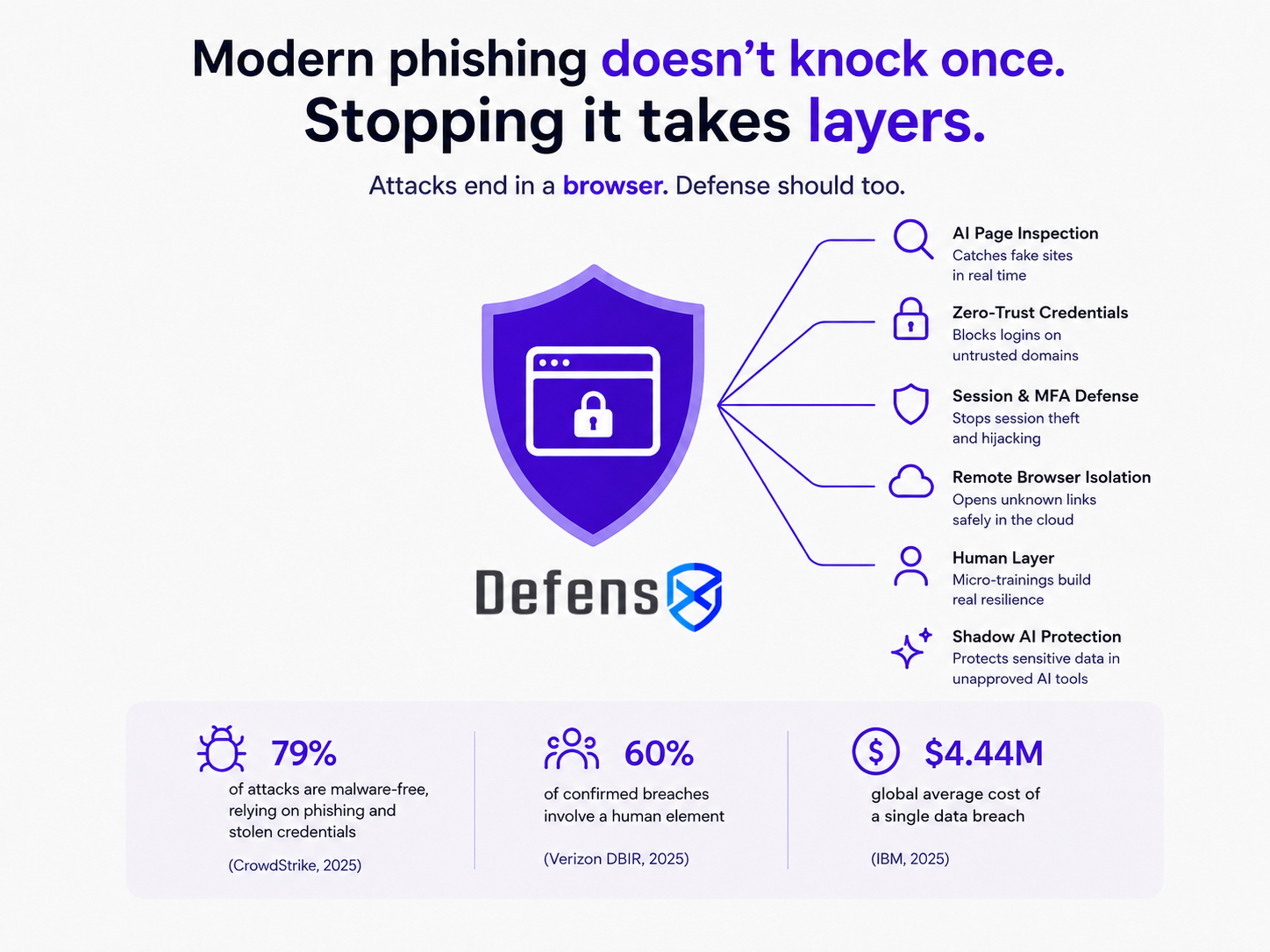
Phishing is fast, clean, and increasingly built by the same AI tools your clients’ employees use all day. The lure arrives by inbox, text, QR code, or sponsored result, and it ends in one place: a browser page asking someone to sign in.
PHISHING BECAME AN AI STORY IN BOTH DIRECTIONS
AI changed phishing on two fronts, and the second one is the part most stacks miss. On the supply side, a convincing lure now costs an attacker almost nothing. AI writes it in any language, in seconds, and rotates the hosting domain hourly so reputation feeds never catch up.
On the target side, the prize changed. Employees quietly adopted AI assistants, and many now hold pasted customer lists, source code, and contract language. A page cloned to look like an AI tool login or an OAuth consent screen is no longer harvesting only email access. It is harvesting the door to wherever the most sensitive work has been flowing. So a modern phishing defense and a modern data-exposure defense have quietly become the same project, and both are won in the same place.
WHY A SINGLE LAYER ALWAYS FAILS
The classic tools were each built for one slice of the attack. A secure email gateway reads the message, so it misses a QR code rendered inside a PDF or a link delivered by text. DNS filtering reads the domain, so it misses a zero-day page on a trusted host and a session stolen after login. MFA verifies the sign-in, so it misses an adversary-in-the-middle relay that lifts the session token after MFA succeeds. Awareness training asks the human to spot the fake, which was reasonable when fakes had tells and much harder now that an AI builds a flawless copy.
Every one of these still earns its place. They share one blind spot: the moment of the click, on the live page, where the credential actually changes hands. That moment happens in the browser.
DEFENSE THAT STACKS ON THE PAGE
DefensX runs as a lightweight agent plus a browser extension, so it sees the live session the way the attacker does and brings several controls to bear on it at once. The layers cover for one another from the first click to the final credential.
| Attack technique | Where legacy tools miss it | DefensX layer that catches it |
|---|---|---|
| AI-generated zero-day page, domain rotated hourly | DNS reputation lag | Phisheye AI page inspection; uncategorized URLs set to Isolate or Read-Only |
| Look-alike login, including cloned AI-tool and SSO pages | User cannot tell real from fake | Zero-Trust Credentials controls where a corporate password may be entered |
| Adversary-in-the-middle session and cookie theft | MFA passes; the gateway is blind | MFA breach and session hijacking defense |
| QR codes, malvertising, malicious sponsored results | Email and DNS filters miss the image or the ad | ADWare and Malvertising Protection, page opened under inspection |
| Unknown or uncategorized destination | No reputation exists yet | Remote Browser Isolation runs it in the cloud, away from the endpoint |
| The user who keeps clicking | No technical control changes behavior | Auto Pilot micro-trainings tied to a Cyber Resilience score |
Read top to bottom, that is a narrative. A lure that slips past the domain layer meets page inspection. A page that looks perfect still cannot collect a credential the policy will not allow off a trusted domain. A session stolen after login still gets cut. An unknown link is isolated. And the human who keeps falling for it gets targeted, measurable coaching. Each layer assumes the one before it might fail, which is the entire point.
WHAT IT LOOKS LIKE IN THE FIELD
The AI tool login that wasn’t.
An employee gets a clean message asking them to re-authenticate their AI assistant. The page is a pixel-perfect clone on a domain registered an hour ago, and DNS has no opinion on it yet. Phisheye flags the credential-harvesting page on sight, and Zero-Trust Credentials refuses to let a corporate password be submitted on an untrusted domain. The attacker wanted the keys to a tool full of pasted company data, and the browser closed the door before a character was typed.
MFA that didn’t help.
A finance user reaches a flawless Microsoft sign-in, enters the password, and approves the prompt. Behind the page, an adversary-in-the-middle proxy is relaying the login and reaching for the session cookie. The session and hijacking defense breaks the relay, so a correct password and a real MFA approval stay useless to the attacker.
The leak with no lure at all.
Sometimes an employee simply pastes a client list into a free AI site nobody approved. The same browser vantage point that governs where credentials go also governs where data goes, so that paste meets a policy instead of silence. The phishing defense and the quiet AI-tool gap turn out to be the same control, watching the same tab.
Phishing opens the door. The same layer quietly closes the gap your clients can’t see.
Closing phishing properly means retiring a few single-purpose renewals, the standalone DNS appliance and the separate phishing simulator among them, and replacing them with one browser layer billed monthly across every tenant. Stronger protection for the client, a recurring line for you, fewer tickets along the way, and the AI-tool exposure handled by the same control you already sold.
The lure will keep getting better. The MSPs that defend the page itself, in layers, will be the ones whose clients never feel it land.